Components
Code: bestdealon-v2 (master) and rfsafe-phone-agent (branch bestdealon, deployed as callbots-bdo). Flag states are in feature-flags.md.
1. bestdealon.app — public pages
| Path | What it is |
|---|---|
/ | Homepage (theme shared by the sign-in pages). |
/features | Feature overview page. |
/ph/<10-digit number>/ | Public listing page for one business, rendered from the listing's JSON document. Indexable when INDEXING=on, except numbers in NOINDEX_PHONES. Shows a "Last updated" time. |
/sitemap.xml, /robots.txt, /feed.xml, /llms.txt | Discovery files; the sitemap lists approved listings with lastmod. |
/privacy, /terms | Privacy Policy and Terms (written for SMS/A2P requirements). Served only when LEGAL_PAGES=on. |
/health | Health check. |
Newsletter: there is no newsletter page on bestdealon.app. The Best Deal On newsletter lives in callbots-bdo: the phone bot offers it on calls, sends a double-opt-in email, and serves /newsletter/confirm, /newsletter/unsubscribe and /unsubscribe (see §10).
2. Accounts
- Signup
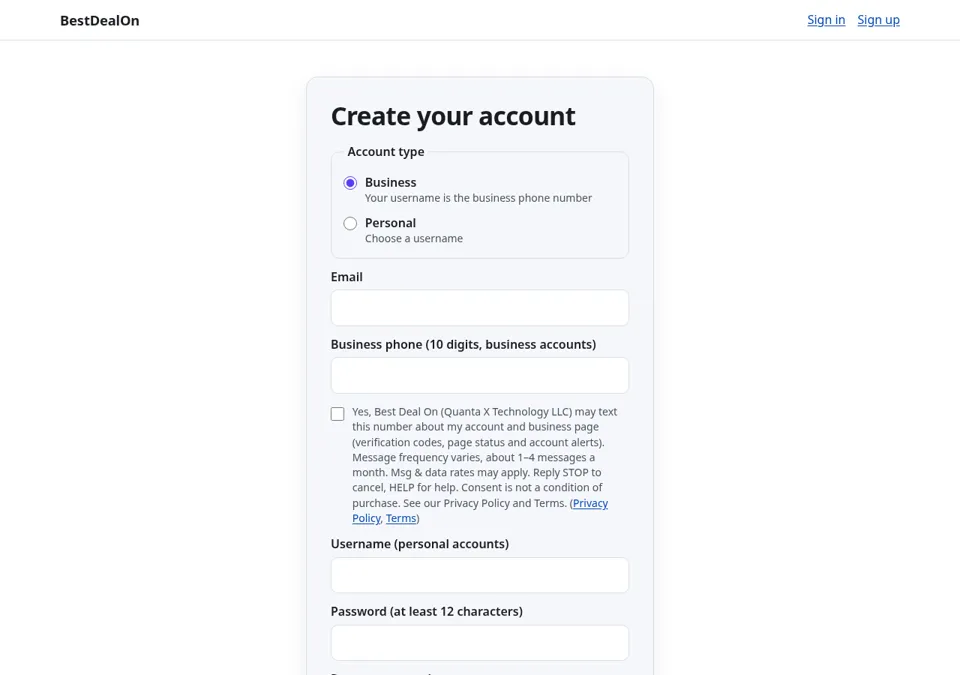
/signup: account type by radio button. Business accounts use the 10-digit business phone as username; personal accounts choose a username. Passwords are Argon2-hashed and checked against a common-password list. WhenLEGAL_PAGES=onan unchecked SMS consent box is shown; consent is stored insms_consentwith the exact text and time. - Email confirmation: a single-use, hashed, 24-hour link to
/confirm(needs the admin setting Email via Resend on). The account works meanwhile; the dashboard shows a "Please confirm your email" banner. - Login
/login(email or username + password, lock-out after repeated failures), Forgot / reset/forgot→/reset(30-minute link), Sign-in link/login/link→/login/link/verify(15-minute magic link; admin setting magic link). - Mail guard:
MAIL_ALLOWLIST, when set, lets mail go only to listed addresses (QA guard). - Phone verification (two ways): Twilio Verify call to the listing's number (
/api/phone/verify/start|check), and Verify by call (§5).PHONE_VERIFY_SMS(SMS codes) is off. - Owner dashboard
/account, API tokens/account/tokens, sign out/logout.
3. Listings and revisions
- A listing = one row in
businesses(phone key, owner, status pending/approved/suspended,phone_verified_at,owner_verified_at) + one JSON document validated bySchema(profile, contact, links, …). - Every save writes a new revision (
rev+1,updatedAt,updatedBy); the old document is kept in history and module-level changes go tomodule_history. Owners see/history,/diffand can/restorean older revision. - Sync API v1 (
/api/v1/…): bearer tokensbdo_<id>_<secret>(hashed, scoped, revocable, optionally one phone), versioned writes withETag/If-Match, dry runs, audit, CORS for the extension. Device approval (/device, OAuth-device-grant style) issues a one-phone token to the extension. - Billing code exists (Stripe Checkout test mode only); Premium can also be set by an admin.
4. Admin, Edit business, manual verify, audit log
/admin(roleadminonly; admins come fromADMIN_EMAILS): businesses, users, subscriptions, tokens, settings (mail switches), claims, activity, audit log (/admin/audit).- Edit business
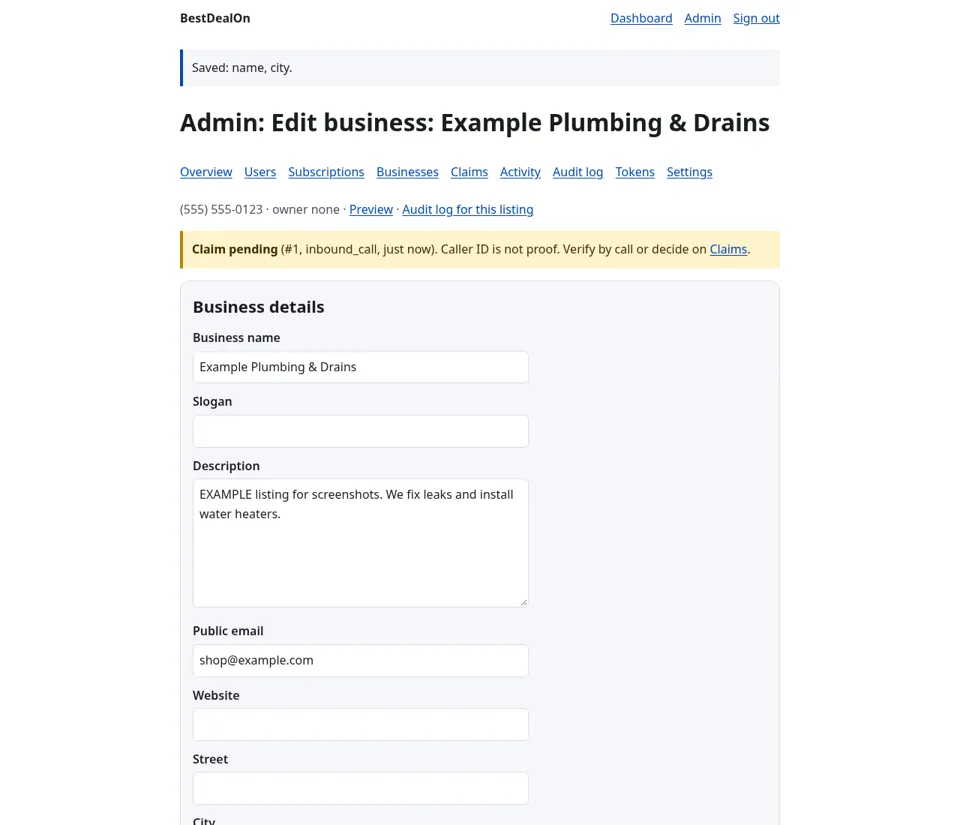
/admin/businesses/<phone>/edit: admin edits the listing; saved as a new revision and audited with old/new values. - Manual verify
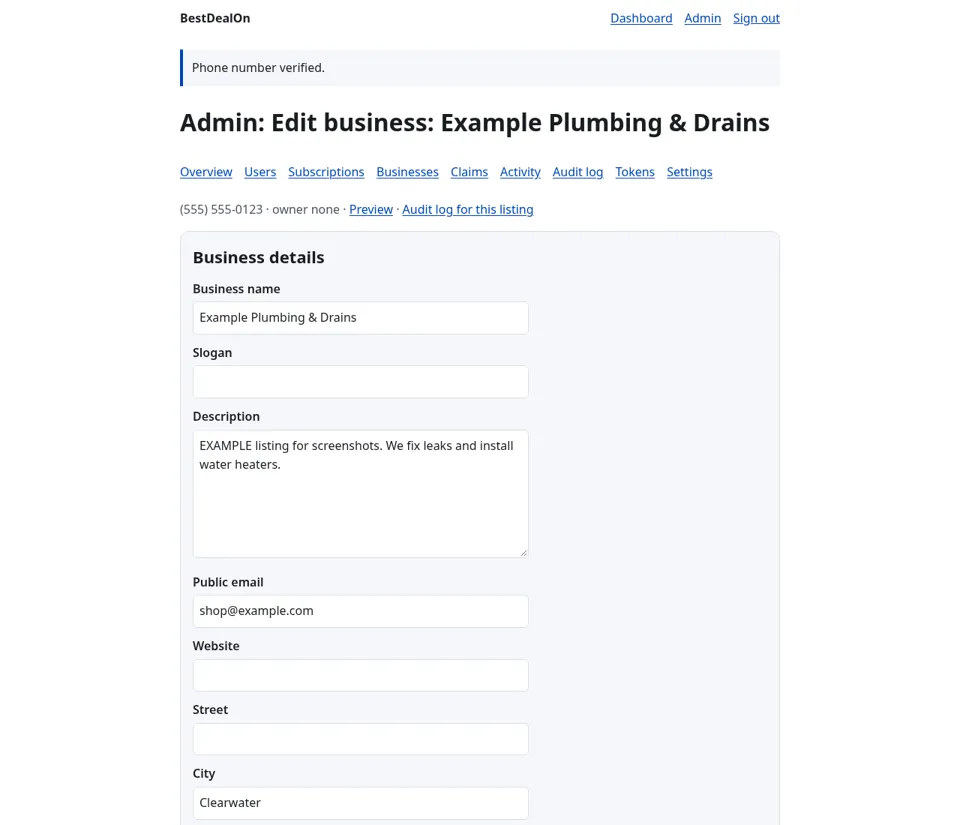
/admin/businesses/<phone>/verified: admin sets or clears the phone-verified flag; audited. - Every sensitive action writes
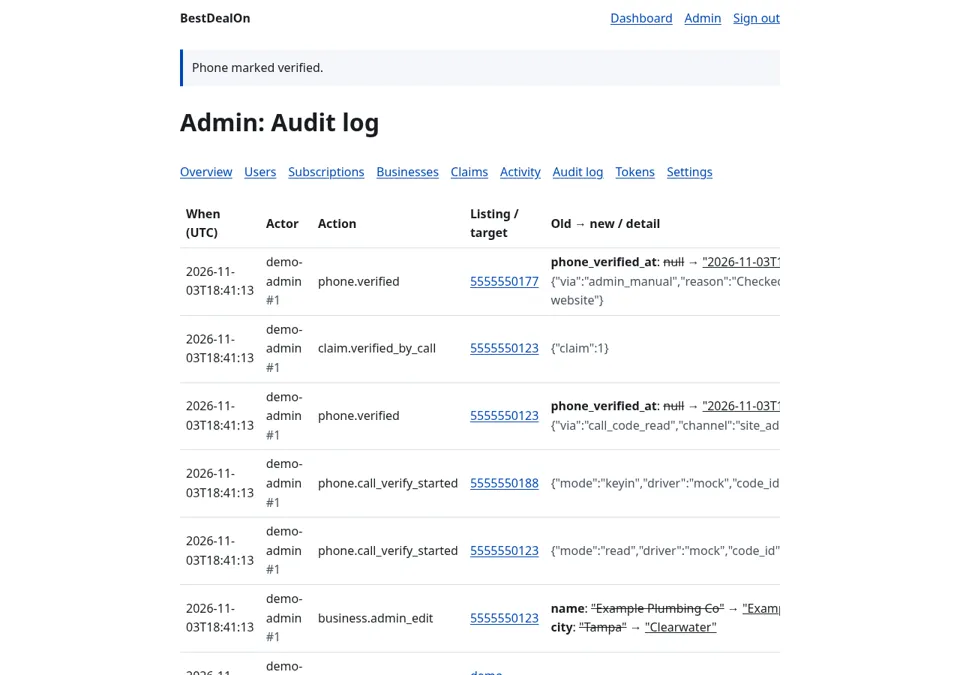
audit(at, actor_user_id, ip, action, target, detail). One-off data fixes run as env-gated boot hooks (e.g.UPDATE_BIZINATOR_LINKS,ATTACH_OWNER_1188): new revision, audit entry naming the actor and approver, marker file, env var deleted afterwards.
5. Verify by call
CALL_VERIFY=off|dryrun|on on the site, BDO_VERIFY_CALLS=off|dryrun|live on the bot.
- Owner (or admin) presses Verify by call on a listing they own.
- The site stores a hashed, single-use 6-digit code (
phone_codes, short TTL, attempt limit) and asks callbots-bdo (signedPOST /bdo/verify-call) to call the listing's own stored number — never a number typed by a user. - read mode: the bot reads the code; the person types it on the site. keyin mode: the site shows the code; the person keys it into the call.
- On a match:
phone_verified_atset, auditphone.verified, linked claim marked verified.
6. Claims (built, flag OFF)
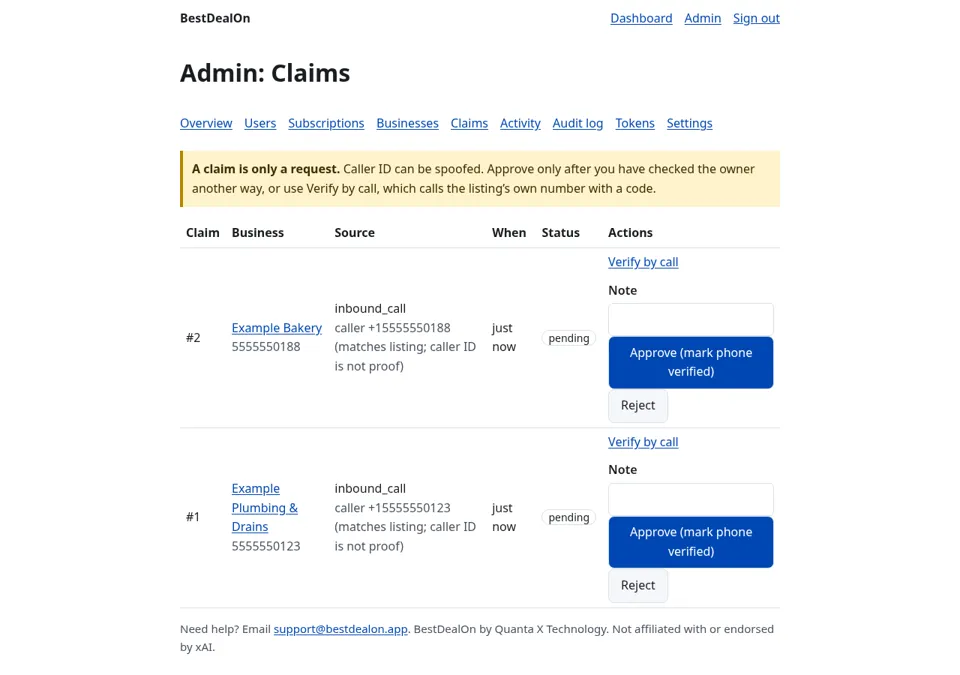
Inbound "Do you own this business?" offer on calls. A claim is only a request: it never verifies a phone or changes an owner. Verification happens only by Verify by call or an admin. Rate-limited (3 per caller per day). Admin review at /admin/claims. Gate: INBOUND_CLAIM (off).
7. Caller lookup and caller recognition
See caller-recognition.md. POST /api/callbot/caller-lookup (claim eligibility) and POST /api/callbot/caller-profile (recognition; CALLER_LOOKUP=on) — both HMAC-signed.
8. Web dashboard /account/phone-bot
The owner's phone-bot dashboard on the website: Status, Subscribers, Calls, Questions, Messages — the same UI file (phonebot-lib.js) as the extension. The server proxies to callbots-bdo /api/owner/v1/* with a read-only, one-phone token held encrypted in the session (never in page JS) and revoked at sign-out.
9. Best Deal On Bot (Chrome extension) — exists, v2.3.0
Found on the box in the grok-bot-recovery-extension project (dist/best-deal-on-bot-2.3.0-unpacked). Manifest V3, permission storage only, optional host access to bestdealon.app. Panel tabs: Home, Business, Phone bot, Bots, Backups, Keys, Settings.
- Business: edit your listing through the Sync API (device-approved, one-phone token).
- Phone bot: the same dashboard as §8, calling callbots-bdo's owner API directly.
- Bots / Backups / Keys: keeps local backups of your Grok Bot bots (choose folder, rescan, rebuild file, import/export
config.json), with a lockable local key vault.
States "Works with Grok Bot. Not affiliated with or endorsed by xAI." Store publication status is not recorded in the code.
10. callbots-bdo — the phone bot
- Tenant file
deploy/bestdealon/tenants/bestdealon.json(loaded fromTENANTS_DIR, validated at boot): number (727) 632-0002, voiceeve, brand "Best Deal On", disclosure, hours, link allowlist, knowledge base,take_message(email delivery, no audio recording),sms_enabled: false, caller-recognition flags. Secrets are onlyenv:BDO_*references. - Twilio: inbound voice webhook
/twilio/voice(signature-checked), SMS routes exist but texting is off for this tenant. - xAI Grok Voice: realtime speech-to-speech session per call; instructions + tools.
- Tools the voice model can use:
kb_answer,product_search,website_lookup,send_link,send_link_sms,set_text_number,set_email_address,send_email,take_message,transfer_to_human,note_unanswered,end_call(plusorder_status,sar_*which are off/irrelevant for this tenant). - Knowledge base: Markdown files seeded at boot (
kb.seeded); questions it can't answer are logged as KB gaps. - Newsletter: double opt-in by email, phone↔email links for recognition, CSV exports for admins.
- Owner API
/api/owner/v1/—status,subscribers(.csv),calls(.csv),kb-gaps(.csv),messages(.csv); read-only, bearer token verified against bestdealon.app/api/v1/me, scoped to the tenant whosebizinator_phonematches. - Admin
/admin(PIN login): status, calls, messages, subscribers, usage. /healthreportsok, tenants,active_calls, mode. Deploy only whenactive_callsis 0.